

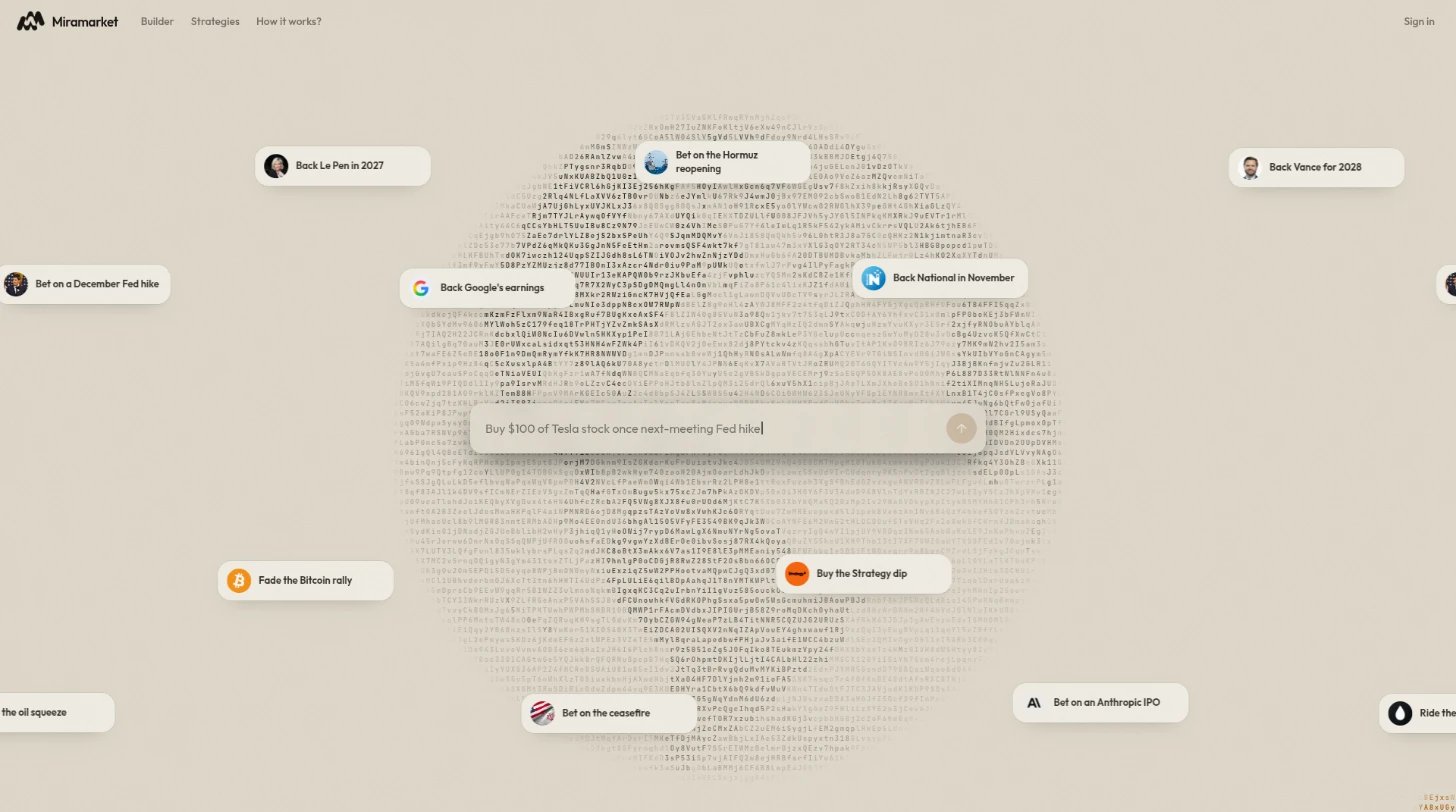
- The chatbox in the middle is the strategy assistant. Describe a strategy or a news situation and it builds one in the conversation.
- Featured strategies drift across the page around the chatbox. Each one is a ready-made strategy, usually built around a recent news story.
app.miramarket.org/builder.
Open a featured strategy
Hover over a featured strategy, or tap it on a touch screen, to open it into a window. Click or tap inside the window to keep it open; click outside it or pressEscape to close it.
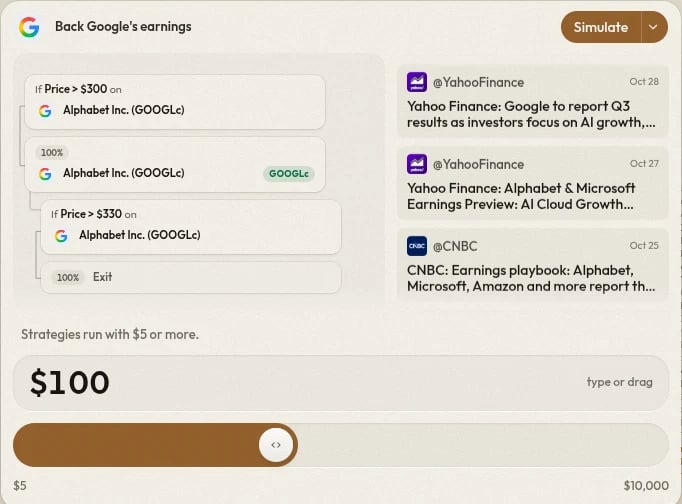
- The strategy’s steps as a small graph. Click the graph to open the strategy on the canvas, where you can see every node and edit it.
- The news story behind the strategy, with a link to read the source.
- The amount to run it with.
- The run control: Simulate, or Run Live from its menu.
Run a featured strategy
- Set the amount. Type it or drag it. Strategies run with
$5or more, up to$10,000or your Cash, whichever is lower. - Choose Simulate to run it without real trades, or Run Live from the run control’s menu.
- Run Live asks you to confirm before it starts.
Share a featured strategy
Each featured strategy has its own link,app.miramarket.org/featured/<name>. The link opens a page with that one strategy, where you can:
- Edit it on the canvas.
- Run now, after setting an amount.
- Read source to open the news story.
- Use the share button to copy the link.