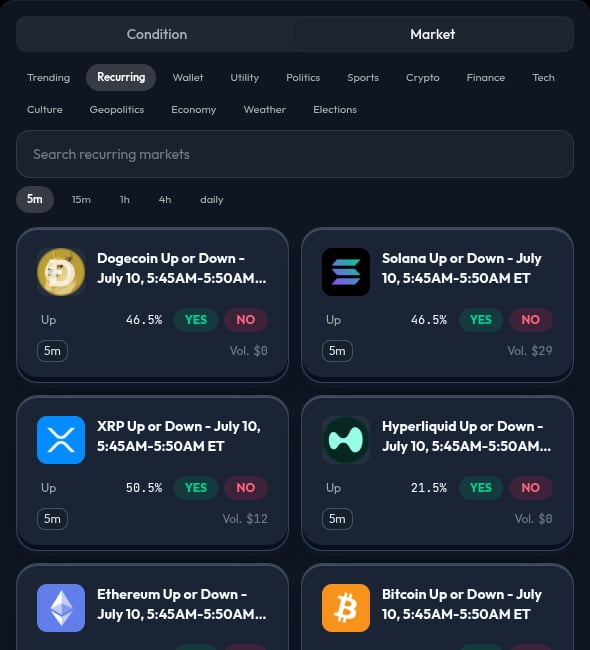
Recurring markets are market families that repeat on a schedule. The Recurring filter groups them by time family, including 5m, 15m, 1h, 4h, and daily.

Choose an active window

  1. Open Market in the left panel.
  2. Select Recurring.
  3. Select a time family.
  4. Read the market card and confirm that its time window is current.
  5. Choose the named outcome and its YES or NO side.
  6. Click or drag the card to add the recurring market action.
The builder refreshes a recurring action to match the current or next available market in its family. Do not assume it will continue forever. Review the active market and the strategy state before each live run.

What to check

  • The time family you selected.
  • The current market window and close time.
  • The named outcome and YES or NO side.
  • The condition and allocation that apply to the recurring action.
  • Whether the market is still active.

Use a simulation first

Recurring markets can change quickly. Use Simulate to make sure the canvas, selected market, and timing match your intent before you use Run Live. For a first recurring strategy, use one market action and one condition. Add more nodes only after you understand how the current window is selected.