

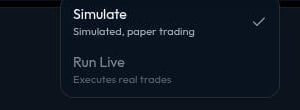
Simulation
Use Simulate before you use Run Live. It validates the strategy, saves a simulation version, and starts a simulated run without placing real trades. Before you start, review:- The market and named outcome.
- The selected
YESorNOside. - Each condition and its threshold or timing.
- Each action and its allocation.
Run Live
Run Live is available. Use it only when you are ready to use real funds. The run menu keeps Run Live unavailable until you sign in, and it can also stay unavailable where live trading is not supported in your region. Before a live run starts, Miramarket asks you to confirm. Live trades do not necessarily happen immediately; the strategy can attempt them when its conditions trigger. Execution and fills are not guaranteed.Sign in and add funds
Use Sign in in the top bar when you are ready to use Run Live. Miramarket sets up your account, powered by Privy.
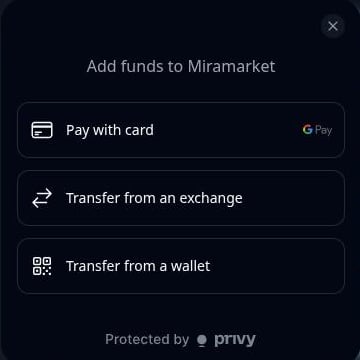
- Pay with card
- Transfer from an exchange
- Transfer from a wallet
Safe workflow
- Build the strategy.
- Check every market, side, condition, and allocation.
- Run a simulation.
- Review the result and revise the strategy if needed.
- Read the live-run checklist.
- Sign in and add funds.
- Use Run Live only if you accept the risk.
When not to run live
Do not run live if:- You do not understand the market.
- You are unsure whether
YESorNOis correct. - The price, close time, or active recurring window looks wrong.
- You have not tested with Simulate.
- You are not comfortable losing funds.