

Compare actions
Buy a market outcome
Market cards create a Buy Market action. Select a named outcome when the card has more than one, then chooseYES or NO. Click or drag the card to add that choice to the canvas.
Review the action node before you run:
- The market question and named outcome.
- The selected
YESorNOside. - The displayed price.
- The allocation.
Use a recurring market outcome
Recurring is a market filter, not a separate action type. It creates the same market-outcome action, but tracks a recurring market family. Choose a time family such as 5m, 15m, 1h, 4h, or daily, then choose the current market and side. Verify the active window before you run. See Recurring markets for details.Wallet
Choose Wallet in the Market tab to add a Wallet action. A Wallet action directs its allocated funds to the selected wallet destination.
- Sign in sets up your account, which is required before you can use Run Live.
- A Wallet action is a node in the strategy itself.
Hold
Choose Utility in the Market tab to add Hold. Hold keeps the current position open and lets the strategy continue to child conditions.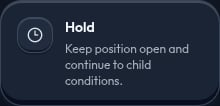
- After a market action, it keeps that market position open.
- In a wallet path, it leaves the allocation in the wallet.
Allocation
Allocation is the percentage of the available amount assigned to an action. A single action receives100% by default.
If a condition has multiple actions, their allocations must total 100%. The builder balances new actions evenly unless you set an allocation explicitly.
Example: a 70% market action and a 30% Wallet action split the available amount between those two actions.
Build a valid flow
- Start with one root condition or one root market action.
- Place market actions after the condition they depend on.
- Add a condition below a market action when the strategy should continue after that action.
- Use the canvas placement guides when dragging to avoid adding a node in the wrong place.