Use this checklist after a successful simulation and before Run Live, which is available for Polymarket, the currently supported venue. It is a review of your intent, not a guarantee of execution or fills.

Check the market

  • Does the market question match your idea?
  • Do you understand how the market resolves?
  • Is the market still active?
  • Is the close time or recurring window acceptable?

Check the outcome

  • Did you choose YES or NO correctly?
  • Does the selected named outcome and side match the result you want?
  • Is the current price acceptable?

Check the condition

  • Is the condition type correct?
  • Is the direction correct, such as greater than or less than?
  • Does the threshold use the intended side and comparison?
  • Does a time condition use the intended close time or specific time?

Check the action

  • Does each action do what you expect?
  • Is the allocation correct?
  • If you use Wallet or Hold, is that intentional?

Run a simulation first
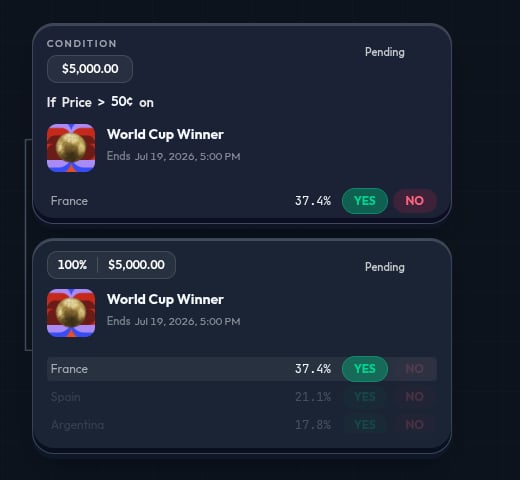
Use Simulate before Run Live. A simulation can show an invalid or incomplete strategy and lets you review the behavior without real trades.

Understand the risk

Signing in and adding funds does not start a live run. You must separately choose and confirm Run Live. If you started from a template, review it like any other strategy. Its markets, thresholds, and allocations are the template’s, not automatically yours. Live prediction market trading can lose money. Prices can move, a market can close, and execution or fills can fail or differ from what you expect. Only use Run Live when you are comfortable with those risks.