

What you will build
You will create a strategy with one rule and one action:When the price condition is met, buy theThe exact market can change over time. Miramarket currently supports Polymarket. Choose an active market you understand and read its resolution rules before adding it.YESorNOside you selected.
1. Open the builder
Go to app.miramarket.org.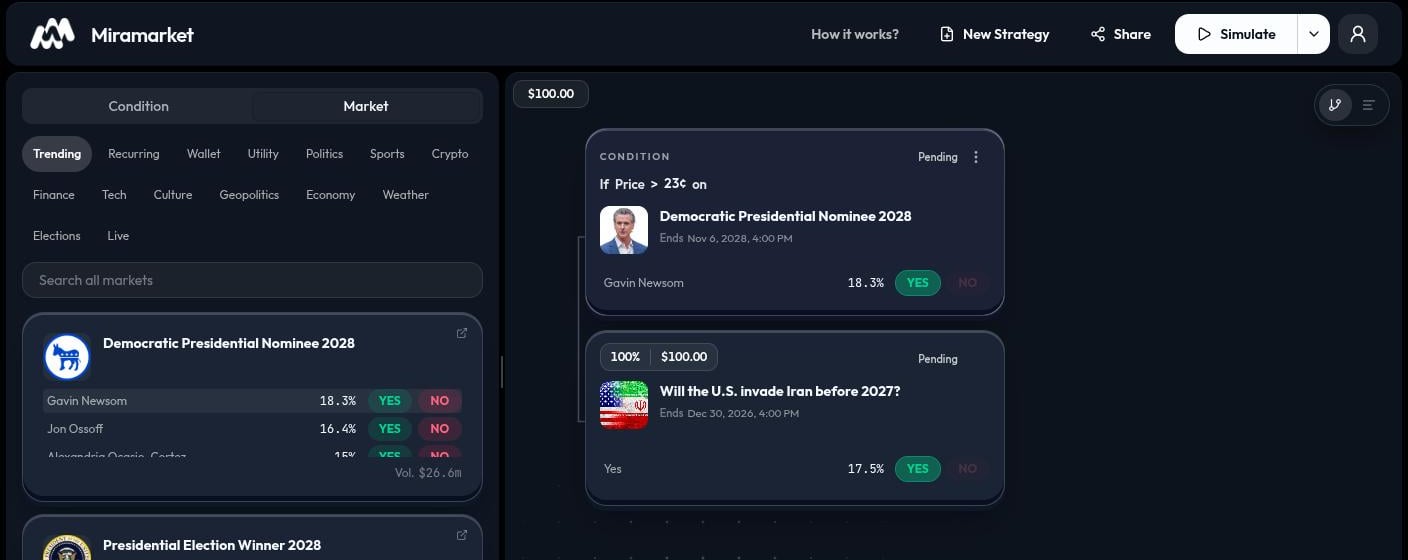
- The top bar includes New Strategy, Share, Simulate, the run menu, and Sign in.
- Use Condition and Market in the left panel to find nodes.
- The canvas is where the strategy appears.
2. Choose a market and side
Open the Market tab. Use Trending, a category filter, or the search box to find a market.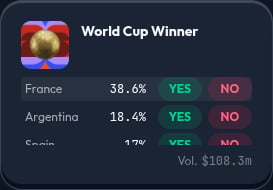
YES or NO for that outcome. Selecting a side prepares the card; click the card to add it to the canvas, or drag it to choose its position. See Grouped events and NegRisk markets for a detailed explanation.
Check the market question, the named outcome, the selected side, and the displayed price before continuing.
3. Add a price condition
Open the Condition tab and choose Price Condition.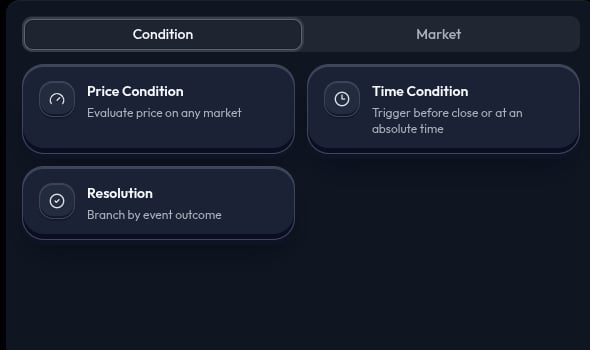
50¢.” Configure the market, side, comparison, and threshold in the condition node. Make sure the condition watches the market and side you intend.
4. Add the market action
Return to Market. Choose the market and side again, then click or drag its card onto the canvas. Place it after the condition.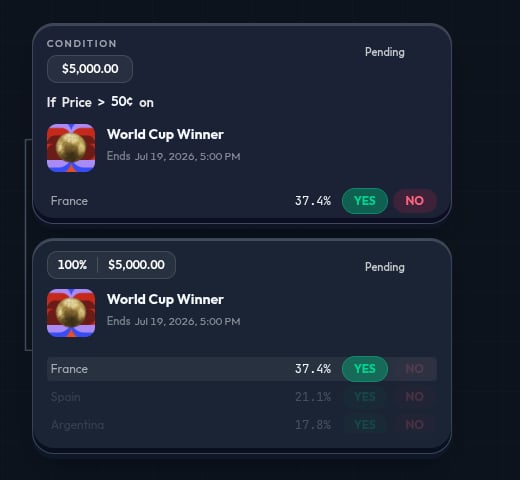
100% allocation by default. If you add multiple actions to the same decision, review their allocations so they total 100%.
5. Read the canvas before you run
Check each node in order:- The condition names the price, time, or result that the strategy checks.
- The action names the market outcome, Hold, or Wallet destination that follows.
- The allocation shows how the available amount is divided between actions.